How a CCTV system works
Most explanations of CCTV are either a parts list or a sales pitch. This one follows a single picture instead — from the moment light hits a lens to the moment it reaches your phone — so each part makes sense in the order you meet it. No jargon you don't need.
The shape of it
What's in a CCTV system?#
Every system — two cameras on a shop front or forty across a compound — is the same four jobs: something that sees, something that carries, something that records, and something that remembers.
Cameras#
Turn light into data. Where one is pointed matters more than how many megapixels it has.
Cabling#
One structured cable run per camera, carrying the picture and usually the power too.
Storage#
Hard drives. How far back you can look is decided here, and it's the part people least expect to think about.
Step one — seeing
Which camera does what?#
The shape of a camera tells you the job it was built for. The shape matters more than the spec sheet.
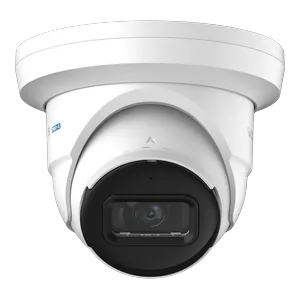
Turret#
The default for most installs. Aims anywhere, no dome to catch reflections, and hard to knock out of alignment.
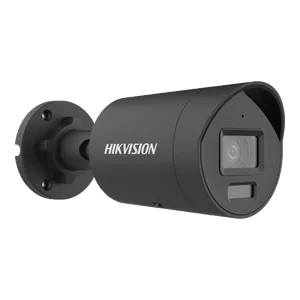
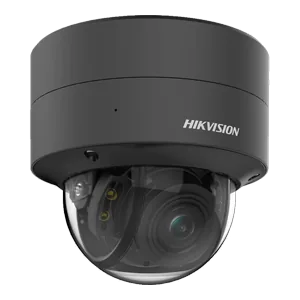
Dome#
Indoors and within reach of the public. Harder to tamper with, and harder to tell where it's pointed.
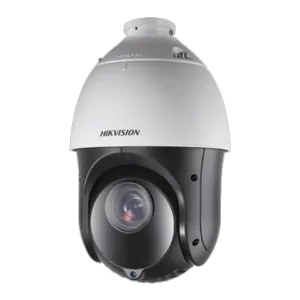
PTZ#
Pans, tilts and zooms across a wide area — but only looks one way at a time. A supplement to fixed cameras, not a replacement for them.
Cameras for a specific problem#
Beyond the four common shapes there's a long tail of cameras built for one situation. You rarely need them — but when you do, nothing else will work.
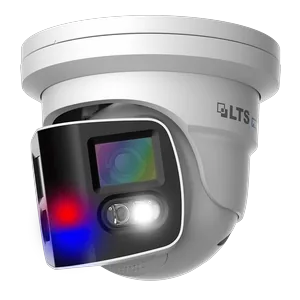
180 degree#
Two lenses side by side, stitched into one wide image. Covers a full frontage or a corner from a single position, where two separate cameras would leave a gap.
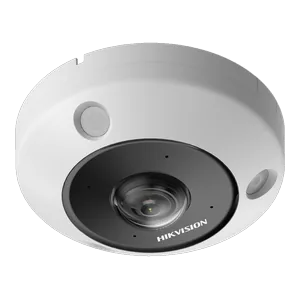
360 degree ceiling#
A fisheye in the middle of a ceiling sees the whole room at once. The software straightens the image out, so one unit replaces three or four in a shop floor or lobby.
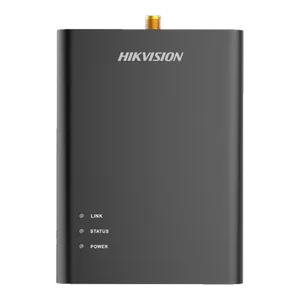
Covert#
A tiny pinhole lens on a lead, with the electronics hidden elsewhere. Used where a visible camera would defeat the purpose — and where the law allows it.
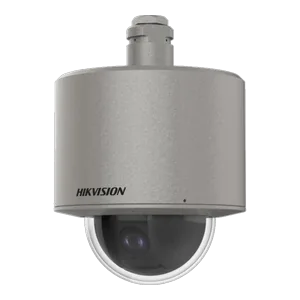
Marine and corrosion-resistant#
316L stainless housings for coastal sites, jetties and anywhere salt air eats ordinary cameras. Relevant on a lot of Trinidad's coastline.
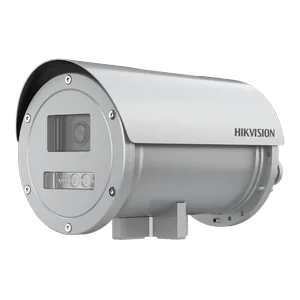
Explosion-proof#
Certified housings for fuel depots, gas plants and chemical stores, where a spark from ordinary electronics is the hazard being designed against.
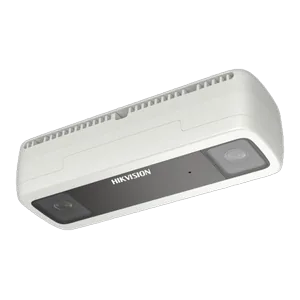
People counting#
Overhead twin lenses that count people in and out rather than identify them. Footfall for retail, occupancy limits, queue management.
Do more megapixels mean a better picture?#
Not on their own, and this is the most common misunderstanding in the whole subject. A 4K camera pointed at an entire car park will not identify anybody in it. Resolution is spread across whatever the lens can see, so what actually matters is how many pixels land on the thing you care about.
Installers think about this as pixels per foot. You don't need the arithmetic, just the three outcomes it produces:
| What you want | What it takes | In practice |
|---|---|---|
| To see that something happened | A wide view, modest resolution | One camera covering a yard. You'll see a person, not who they are. |
| To recognise someone you know | A tighter view, or a closer camera | Useful on staff areas, back doors and tills. |
| Evidence that identifies a stranger | A camera doing only that job | Mounted at head height on the point people must walk through — not in a corner. |
Which is why a sensible design mixes them: wide cameras for context, and one or two placed deliberately where everyone has to pass.
How do cameras see at night?#
Most incidents happen after dark, so this matters more than the daytime picture. There are three approaches and they behave quite differently.
Infrared#
Invisible IR light. A clean black-and-white picture that gives nothing away to an intruder. You lose colour — so you lose the red shirt and the blue car.
ColorVu and similar#
A permanent soft white light, so you keep full colour all night. A deterrent in itself, though the light is always on — which not every neighbour loves.
Hybrid#
Sits in infrared until something moves, then switches the white light on and records in colour. Discreet most of the night, colour when it counts.
Camera count follows sightlines, not property size — one well-placed camera often does the work of two badly placed ones. Most good designs end up with a mix of types and resolutions rather than the same camera repeated everywhere.
Step two — carrying
What cable does CCTV use?#
Both kinds of system run on structured cable — one tidy run per camera, back to one box. What differs is the grade of cable and what sits on each end of it.
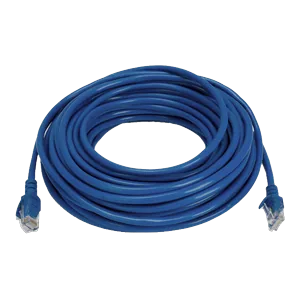 IP cameras
Cat6 and Power over Ethernet#
A single Cat6 run carries the video down and the power back up. No electrician, no socket beside every camera — the recorder powers the cameras itself.
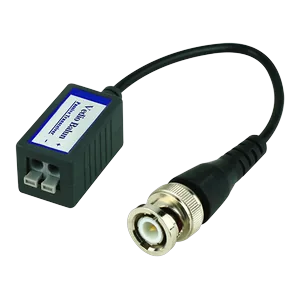 HD analogue
Cat5e and a pair of baluns#
HD cameras don't need coax either. A video balun at each end lets the picture travel over ordinary twisted pair, and a video-and-power balun carries the supply along with it.
So what actually differs between Cat5e and Cat6?#
From the outside, almost nothing. Same connectors, same colours, near enough the same thickness — which is why the grade is printed along the jacket rather than left to the eye. Cut one open and the difference shows.
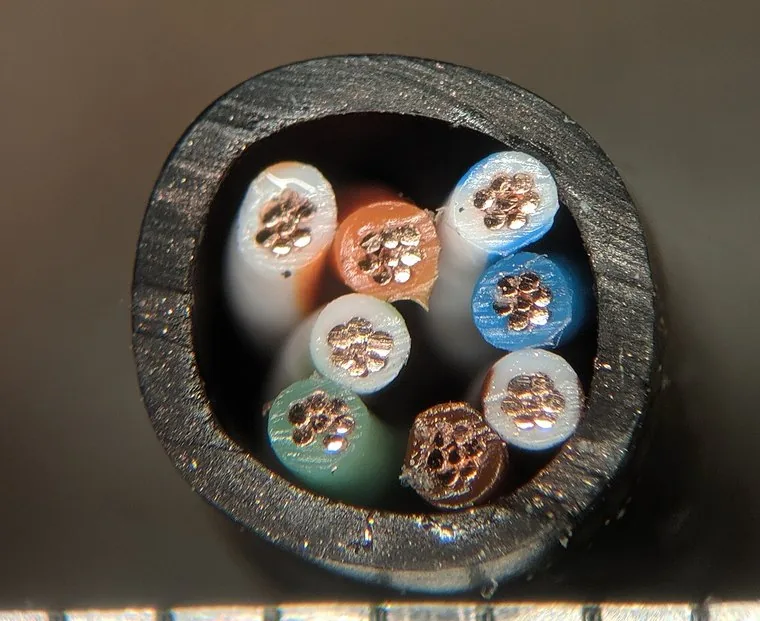
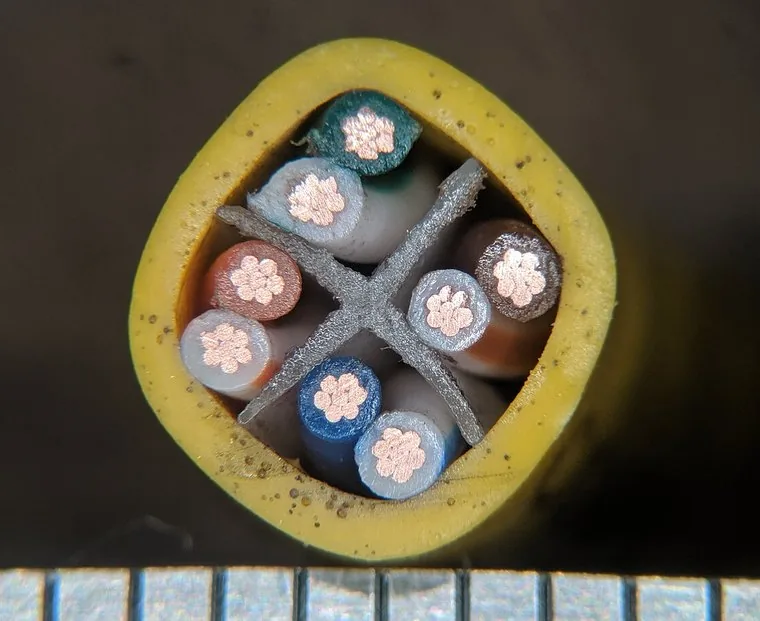
Cat6#
The grey cross is the spline, holding the four pairs apart so they interfere with each other less. The copper is visibly thicker too.
Cable cross-sections by TubeTimeUS, used under CC BY-SA 4.0.
| Cat5e | Cat6 | |
|---|---|---|
| Conductor | 24 AWG | 23 AWG — thicker copper |
| Separator | None | Usually a plastic spline between the pairs |
| Bandwidth | 100 MHz | 250 MHz |
| Gigabit | To 100 m | To 100 m |
| 10 Gigabit | Not supported | To roughly 55 m |
| Handling | Thinner, more flexible | Stiffer, harder round tight bends |
For cameras, none of that 10-gigabit capability matters — a 4K camera needs a few megabits. What does matter is the thicker copper, which carries PoE power with less loss on a long run, and the tighter construction, which holds up better in a bundle beside mains cable. That's the practical reason to specify Cat6 for new IP work, not the headline speed.
And if you're checking what's already in the walls: read the print on the jacket. You cannot tell by looking at the ends.
The Cat5e route is worth dwelling on, because it saves real money. Coax is stiff, expensive and awkward to pull. Cat5e is none of those — so an HD upgrade can often reuse network cable that is already in the building, and any new run stays useful if you move to IP cameras later.
Distance behaves differently on each. PoE runs stop at about 100 metres, after which you need a switch partway along or a fibre link. HD analogue over baluns reaches considerably further — often two or three times that — which is sometimes the deciding reason to choose it for a long boundary or an outbuilding.
On a long or awkward run the labour can cost more than the camera, so where the recorder sits is a genuine design decision rather than an afterthought. If there's already cable in the walls, it's worth finding out what type before assuming it has to be replaced.
Step three — recording
NVR or DVR — what's the difference?#
Every camera feeds one box. It records all of them at once, around the clock, and it's what you sit in front of when something has happened.
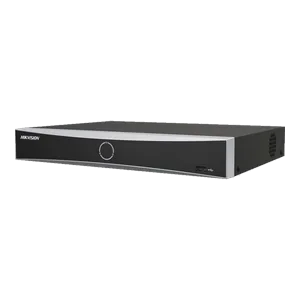
NVR — for IP cameras#
Network Video Recorder. Usually has the PoE ports built in, so cameras plug straight into it. This is what most new systems use.
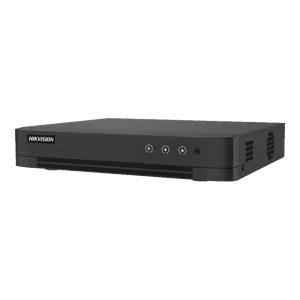
DVR — for HD analogue cameras#
Digital Video Recorder, fed over coax or over Cat5e through baluns. Often the sensible answer when you're upgrading cameras on cabling that already exists.
Recorders are sold by channels — how many cameras they accept. DVRs run from four up to thirty-two. NVRs go much further: 4, 8, 16, 32, 64, 128 and 256 channels, so an IP system can keep growing long after an analogue one has run out of room.
Either way it's usually worth one size up, because adding a ninth camera to an eight-channel recorder means replacing the recorder.
If there's any chance of adding cameras in the next couple of years, the gap between eight and sixteen channels now is much smaller than the cost of swapping the whole unit later.
Step four — remembering
How much storage do you need?#
Footage is only useful if it's still there when you go looking — and people usually discover a problem days after it happened.
How far back you can look depends on four things: how many cameras, at what resolution, how many hours a day they record, and how many days you want to keep. Move the controls and watch it change.
 Not an ordinary drive
Surveillance-grade drives#
A desktop drive expects to be busy occasionally. A recorder writes to its drive every second of every day, from every camera at once, while reading back from it at the same time. Surveillance drives are built and rated for exactly that, and an ordinary one put in a recorder tends to fail within a year or two.
How many drives#
Recorders have a fixed number of bays — commonly two on an eight-channel unit and four on larger ones — so there is a ceiling on total storage before the recorder itself has to change. Larger single drives are usually better value than filling every bay with small ones, and they leave room to expand later.
You'd fit a 12 TB drive to leave headroom.
Two things fall out of that. Recording on motion rather than continuously cuts storage by roughly two thirds — but it only keeps what it noticed, so it's a trade rather than a free win. And resolution costs you twice: once on the camera, and again every single day it records.
A recorder only has so many drive bays — two on most eight-channel units, four on larger ones — so there's a ceiling on how much you can fit before the recorder itself has to change. Deciding how many days you genuinely need is usually the cheaper lever to pull.
Step five — watching
Watching it remotely#
Remote viewing is standard now. The recorder keeps the footage; your phone is just a window onto it.
The site needs a working internet connection — modest, but reliable — and upload speed matters more than download, which is the opposite of what most people have. Trying to watch several cameras live on a weak upload is where the disappointment usually comes from.
The same app handles motion alerts. Modern cameras can tell a person or a vehicle from a moth or a moving branch, which is the difference between useful notifications and an alert you learn to swipe away.
Remote access itself normally costs nothing extra. What sometimes does: a static IP from your provider, or a small UPS so the recorder and router ride out the brief outages that otherwise take the cameras offline exactly when you'd want them.
The rest of it
What else is in an installation?#
Small items, easy to overlook, and the difference between a system that lasts and one that fails after two rainy seasons.
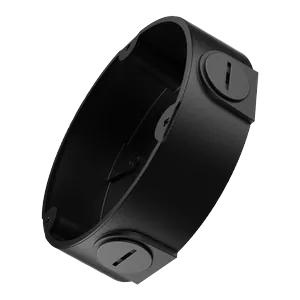
Junction boxes#
House the cable joint behind each camera and keep water out of it. Outdoors, this is where cheap installations fail first.
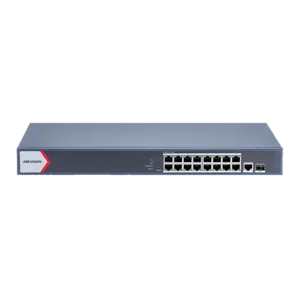
PoE switch#
Needed when there are more cameras than recorder ports, or when a run is too long to reach the recorder directly.
Mounts, conduit, UPS#
Brackets and poles for awkward positions, conduit wherever cable is exposed, and a UPS so a flicker doesn't take the system down.
These are usually a small share of the total, and they're the first place a cheaper quote has cut corners. If you're comparing two prices, it's worth checking they're both there.
Questions
Common questions#
How much does a CCTV system cost?
There's no useful single figure, because the same number of cameras can differ several times over in price depending on what each one needs to see, how far the cable has to run, and how many days of footage you want to keep. Cable runs and labour are often a bigger share of the total than the cameras themselves.
How many cameras do I need?
It follows sightlines rather than the size of the property. Start with the points everyone has to pass through — gates, doors, stairwells, tills — and cover those properly before adding general overview cameras. One well-placed camera regularly does the work of two badly placed ones.
How long is CCTV footage kept?
As long as the hard drive holds, then it overwrites the oldest footage. Thirty days is a common target. The actual number depends on how many cameras you have, at what resolution, and whether they record continuously or only on motion — the calculator above works it out.
Do CCTV cameras work in the dark?
Yes, in one of three ways. Infrared gives a black-and-white picture and stays invisible to anyone outside. ColorVu-style cameras use a constant soft white light and keep full colour. Hybrid cameras sit in infrared until something moves, then switch the light on so the footage that matters is in colour.
What's the difference between IP and HD analogue cameras?
IP cameras send digital video over a network cable and are powered by that same cable, recording to an NVR. HD analogue cameras send an analogue signal to a DVR, over coax or over Cat5e using baluns. IP is what most new systems use; HD analogue is often the better value when you're upgrading cameras onto cable that already exists.
Do I need internet for CCTV?
Not for it to record — a system works perfectly well with no connection at all. You need internet only to view it remotely or receive alerts on your phone, and for that the upload speed matters more than the download speed.
Can I add more cameras later?
Up to the channel count of your recorder, yes — a sixteen-channel recorder takes sixteen cameras. Past that the recorder itself has to be replaced, which is why it's usually worth buying one size up at the start if you think the system might grow.
Can CCTV run over existing network cable?
Often, yes. HD analogue cameras run over Cat5e using a pair of video baluns, and IP cameras run over Cat6. If there's structured cable already in the walls it's worth identifying what grade it is before assuming a full re-cable is needed.
Still working something out?#
If you've got a specific situation in mind — an awkward layout, cable already in the walls, a system that isn't doing what you hoped — we're happy to talk it through, whether or not it leads anywhere. Maxion Systems is in San Fernando and has been installing and maintaining CCTV across Trinidad and Tobago for years.
Storage figures are estimates for H.265 recording and vary with scene detail and movement — a busy street uses more than a quiet stockroom. Real systems are sized with headroom.